
Mastering Proofreading in Transcription: A Guide to Flawless Accuracy
Proofreading is the crucial final step that turns a rough transcript into a polished, professional document. It’s the meticulous process where you compare the text against the original audio to catch every error—from misplaced words and punctuation to incorrect speaker labels. This quality control stage is what ensures the final transcript is a faithful and accurate record of the conversation.
Why Meticulous Transcription Proofreading Matters
Let's be direct—a raw transcript, whether generated by AI or a human's first pass, is almost never perfect. The work that elevates a draft into a document you can actually rely on happens during the proofread. It's the essential quality check that builds trust and upholds professional standards.
In high-stakes fields like law or medicine, even a seemingly tiny mistake can have significant consequences.
Imagine a legal transcript where "I can't deny it" is mistakenly typed as "I can deny it." That single-word change completely inverts the meaning and could potentially alter a case's outcome. Similarly, consider a medical record where "hypotension" (low blood pressure) is transcribed as "hypertension" (high blood pressure). These aren't just typos; they are critical errors that could lead to dangerous misunderstandings and patient harm.
The Growing Demand for Accuracy
The need for precise transcription is expanding rapidly. The global transcription market was valued at around $21 billion in 2022 and is projected to climb past $35 billion by 2032. This growth is fueled by the massive volume of audio and video content being created across healthcare, legal, corporate, and educational sectors. You can explore these transcription industry trends on gotranscript.com for a deeper look.
This surge highlights why skilled proofreading is more critical than ever. As more content is produced, the demand for accurate, reliable records follows.
A flawless transcript isn't just a "nice-to-have." For professionals, it's a non-negotiable standard. It ensures compliance, supports clear communication, and preserves the integrity of the original recording.
Ultimately, taking the time to deliver a perfect final transcript accomplishes three key things:
- Builds Trust: An error-free document signals professionalism and a sharp eye for detail, giving clients and colleagues confidence in your work.
- Ensures Compliance: In regulated fields like law and medicine, accuracy isn't just a best practice—it's often a legal and ethical requirement.
- Protects Integrity: A carefully proofread transcript guarantees the official record is a true representation of the conversation, preventing future disputes or misinterpretations.
Setting Up Your Proofreading Workspace for Success
A great proofreading job starts long before you press play on the audio file. It’s about more than just finding a quiet room; it's about arranging your tools and materials for maximum accuracy and efficiency. Think of it as a pre-flight check—a few minutes of preparation can save you from significant headaches later on.
Your choice of headphones, for example, is more critical than you might think. While standard earbuds are fine for listening to music, they often aren't sufficient for professional proofreading. You need equipment that helps you hear every detail. I always recommend over-ear, closed-back headphones because they effectively block out distractions and help you catch faint whispers or overlapping conversations that are easy to miss.
And when it comes to software, don't settle for the default media player that came with your computer. You need tools built for precision.
The Right Tools for the Job
To achieve a state of flow, your digital setup must be seamless. The two most important components are your media player and your text editor.
- Precise Playback Control: Use a media player like VLC or an industry-standard tool like Express Scribe. Their key feature is the ability to slow down audio without distorting the pitch. The ability to set custom keyboard shortcuts for play, pause, and rewinding a few seconds at a time is a game-changer for efficiency.
- A Configured Text Editor: Whether you're using Microsoft Word, Google Docs, or a specialized tool, take a moment to set it up. Choose a clean, readable font. If you need to show your edits or collaborate with a team, enable the "Track Changes" feature before you begin.
The entire point of this setup is to reduce friction. You want to focus on the content, not on fumbling between windows or fighting with clunky software. A smooth setup lets your brain do the important work of ensuring accuracy.
Gathering Your Reference Materials
Jumping into a proofreading project without context is like trying to build furniture without the instructions. Before you start, gather all your reference materials in one place. This preparation is what separates an adequate transcript from a professional one.
Here’s what you should have on hand before you begin:
- A List of Speaker Names: Get the correct spelling for everyone's name and their title. This avoids guesswork and ensures the final transcript looks polished and professional.
- A Glossary of Key Terms: If the audio is filled with industry jargon, acronyms, or technical language, a glossary is essential. This is non-negotiable for medical, legal, or other specialized content.
- The Client's Style Guide: Does the client have specific rules for formatting? The style guide is your single source of truth. It will tell you exactly how to handle numbers, timestamps, speaker labels, and even comma placement.
Having this information ready from the start transforms the job from a simple listening exercise into a true quality assurance process.
The Proofreading Process: A Step-by-Step Guide
Alright, you've got your audio, your rough transcript, and a quiet workspace. Now for the real work: turning that raw text into a polished, professional document.
This isn't about giving it a quick once-over. True proofreading in transcription is a methodical, line-by-line inspection. It’s the difference between a usable transcript and a flawless one. Think of it as your quality control process, designed to catch the subtle errors that even the best AI tools (and human ears) miss on the first pass.
A solid workflow is everything. It ensures you catch those sneaky homophone mix-ups, random formatting quirks, and everything in between. Before you even start reading, your process should look something like this:

As you can see, the review itself is the final stage. The real secret to accuracy is in the preparation—gathering your files and setting up your tools properly from the start.
Does the Text Match the Audio?
Your primary responsibility is to ensure the transcript is a faithful account of what was said. This goes beyond just getting the words right; it's about capturing the conversation as it actually happened.
- Go Word-for-Word: There's no substitute for listening to the audio while you read the transcript. Your ears and eyes will catch things software can't, especially classic homophone blunders like "their" vs. "there" or "affect" vs. "effect." A standard spell check is useless for these errors.
- Check Speaker Labels: Are you certain "Dr. Smith" is always labeled correctly? It's surprisingly easy for a speaker label to get mixed up, especially in a fast-paced conversation. A quick scan to ensure "Dr. Smith" doesn't suddenly become "Dr. Smyth" or get attributed to the wrong person is crucial.
- Mark Unintelligible Speech Honestly: You will encounter sections where people mumble or talk over each other. It happens. Instead of guessing and potentially putting words in someone's mouth, use a standard placeholder like
[unintelligible]or[crosstalk]. This preserves the integrity of the transcript.
A word of caution: resist the urge to "clean up" grammar excessively. Unless a client's style guide specifically asks for it, your job is to reflect how people actually spoke—quirks and all. Over-editing can accidentally change the speaker's original meaning.
Is It Easy to Read? Punctuation and Formatting
A transcript's readability hinges on its punctuation and formatting. A giant wall of text is practically useless, and a single misplaced comma can twist the meaning of a sentence entirely.
Just look at the difference here:
- Before: "We need to focus on marketing, sales is secondary."
- After: "We need to focus on marketing; sales is secondary."
That semicolon clarifies the relationship between the two ideas, instantly making the sentence more professional and easier to understand. The same goes for paragraph breaks. Starting a new paragraph when the speaker changes or a new topic is introduced is a simple move that vastly improves the reader's experience.
To help you spot these issues, here’s a quick-reference table of common mistakes I see all the time and how to fix them.
Common Transcription Errors and How to Fix Them
This table isn't exhaustive, but it covers the high-frequency errors that can make a transcript look amateurish. Keeping an eye out for these will elevate the quality of your work significantly.
Timestamps and Technical Details
Timestamps are the breadcrumbs that allow a user to navigate the audio. If they're off, they're not just unhelpful—they’re actively misleading.
- Spot-Check Timestamps: Don't assume they are all correct. Jump to a few points in the document—the beginning, middle, and end—to ensure the timestamp in the text lines up perfectly with the audio. Watch out for "timestamp drift," where tiny errors accumulate over a long recording.
- Keep Formatting Consistent: Decide on a format and stick to it. Whether it's
[00:15:32]or(00:15:32), consistency is key. This same rule applies to numbers, acronyms, and industry-specific jargon. Always defer to your client's style guide if they have one.
Treating your proofreading like a final quality assurance check transforms it from a chore into a craft. If you want to make this final stage even smoother, starting with a better initial draft always helps. Our guide on creating a transcript from scratch offers a great foundation. By methodically checking every detail, you're not just delivering a transcript; you're delivering a reliable, professional-grade document.
Working Smarter with AI Tools Like Whisper
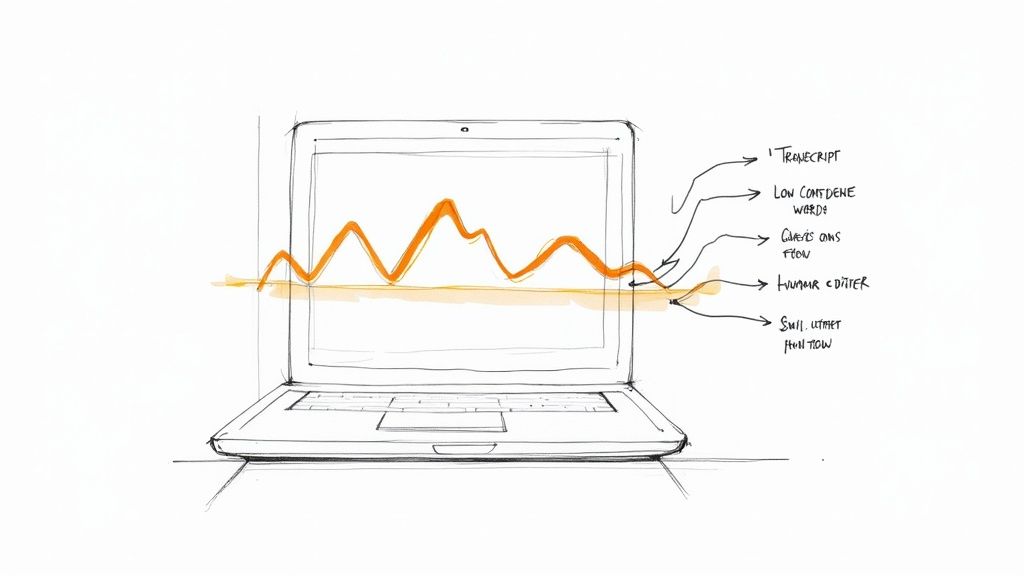
AI transcription tools are incredible for producing a first draft in record time. I use them constantly. But here’s the thing: treating that AI output as the final, polished product is a recipe for disaster. The smartest way to approach this is to see the AI as a highly capable assistant, not as a replacement for a human expert.
This combination of AI speed and human precision is the secret to efficient and accurate proofreading in transcription.
Modern AI has made huge leaps. The best tools can hit over 95 percent accuracy when the audio is crystal clear. They have even gotten much better with accents, sometimes boosting accuracy by up to 30 percent. But even with those impressive numbers, a human proofreader is still the only way to catch the nuanced errors that machines miss. You can find more details on these trends in Zight’s analysis of AI transcription.
Ultimately, the real power of AI is that it does the heavy lifting upfront, giving you a solid base to work from.
Treating AI as Your First Draft
My best advice is to think of your AI-generated text not as a finished transcript, but as a very good set of notes. Your job is to take that raw material and turn it into a human-verified, perfectly accurate document. This simple shift in mindset makes all the difference.
Even the most sophisticated models still trip over some common hurdles:
- Tricky Accents and Dialects: AI can easily get tangled up in regional accents or the speech patterns of non-native speakers, which often results in nonsensical text.
- Proper Nouns and Industry Jargon: I see this all the time. An AI might hear "Ginni Rometty" but transcribe it as "Ginny Romenty." It lacks the real-world context for unique names or specialized terms.
- Overlapping Conversations: When people talk over each other, AI often struggles, mashing words together or omitting them entirely.
- Incorrect Speaker Labels: In a multi-person interview, it’s common for an AI to misattribute a quote to the wrong speaker.
A Practical AI-Assisted Proofreading Workflow
The best way to start is by letting the AI itself guide you. Many platforms, including Whisper AI, provide confidence scores for words or phrases. These are essentially the AI raising its hand and saying, "I'm not totally sure about this part." This gives you an instant, often color-coded, map of where to look first.
Start by reviewing the low-confidence words. This is a huge time-saver. Instead of reading from the very beginning, you can jump straight to the most probable mistakes and fix them right away.
After you've sorted out the flagged words, it's time for a full audio-sync review. This is non-negotiable. You must listen to the original audio while reading the transcript to ensure every single word is correct. This is where you'll catch subtle slip-ups—like homophones ("their" vs. "there") or contextual mistakes that only a human brain would notice.
By building a workflow that marries AI speed with your own expertise, you get the best of both worlds. And if you're looking to build out your toolkit, exploring different AI tools for content creation can make your entire process even more efficient.
For a deeper dive into the nuts and bolts of this specific technology, check out our guide on how to use Whisper AI.
Advanced Techniques for Flawless Transcripts
https://www.youtube.com/embed/JRVL8f-_TPw
Once your core proofreading workflow is solid, you can start incorporating some advanced strategies. These are the techniques that truly separate a good transcript from a flawless one, catching the subtle errors your ears might glide right over. It’s about moving beyond simple accuracy and into the art of producing a truly polished final document.
One of the most effective methods I’ve found is the ‘cold read.’ This is where you put the audio aside and review the transcript text all by itself.
You’d be surprised what you find. Your brain processes written words differently than spoken ones, and a cold read forces you to judge the transcript on its own merits. This is how you catch awkward phrasing, grammatical gremlins, and sentences that just don't scan properly. It’s your best defense against mistakes that sound right but look completely wrong on the page.
Fine-Tuning for Different Use Cases
A transcript is rarely just a transcript; it’s a tool designed for a specific purpose. Because of this, a one-size-fits-all proofreading approach doesn't work. True professionals know how to adapt their process based on what the client actually needs the final document to do.
Think about how different these two common scenarios are:
- Strict Verbatim for Legal Files: When you're working on legal or investigative files, precision is everything. This means you capture every single utterance—false starts, stutters, and all the "ums" and "uhs." The goal is a complete, unaltered record of what was said, exactly as it was said.
- Clean Verbatim for Podcasts: Now, take a podcast transcript that’s going to be turned into a blog post. Here, readability is king. You’ll want to clean up all the filler words and false starts to create a smooth, easy-to-read text that gets the message across without the conversational messiness.
The ultimate goal is to deliver a transcript that is not just accurate but also perfectly suited for its intended audience and application. This contextual understanding is what elevates your service.
The Final Audio-Sync Check and Your Personal Style Guide
After your detailed line-by-line edit and your cold read, there’s one last step: the final audio-sync check. This isn’t another full-blown proofread. Instead, it’s a quick, high-speed skim of the text while you listen to the audio one last time.
You're just looking for major disconnects. Does the text flow perfectly with the audio? Did a chunk of text get accidentally deleted or moved during editing? It's also the perfect moment to double-check that your transcription with timecode markers line up just right.
To really lock in consistency across all your work, I highly recommend creating a personal style guide. This is a living document where you set your own rules.
It’s where you’ll decide on things like:
- Speaker Labels: Do you prefer SPEAKER 1: or Speaker 1:?
- Timestamps: Are you going with
[00:01:23]or(01:23)? - Numbers: Will you spell out numbers one through nine?
- Client Preferences: You can even add notes for specific clients who have unique ways of handling jargon or acronyms.
This guide becomes your North Star. It eliminates guesswork and ensures every transcript you produce has the same professional polish, project after project.
Got Questions About Proofreading Transcripts? We’ve Got Answers.
As you get deeper into the world of transcription, you'll inevitably run into some common questions. Let's tackle a few of the most frequent ones I hear from people just starting out.
How Much Should I Charge for Proofreading a Transcript?
Figuring out your rates is always tricky, but for proofreading, the industry standard is to charge by the audio minute, not by the hour or page.
A good starting range is between $0.50 to $1.25 per audio minute. Where you land in that range depends entirely on the project. If you're working with crystal-clear audio, a single speaker, and a generous deadline, you'll be on the lower end. But for a challenging file—think heavy background noise, multiple speakers with thick accents, or dense technical jargon—you should absolutely be charging at the top of that scale.
What’s the Difference Between Editing and Proofreading Transcripts?
This is a big one, and the distinction is crucial. They sound similar, but they are two completely different jobs.
Proofreading is all about fidelity to the audio. Your job is to make sure the text on the page is a perfect, word-for-word match of what was spoken. You’re hunting for misheard words, typos, and punctuation errors that change the meaning.
Editing is about making the transcript readable and purposeful. This is where you might clean up filler words ("um," "like," "you know"), restructure clunky sentences for better flow, and generally polish the text so it can be used for something else, like a blog post or an article.
Here's the simplest way to think about it: Proofreading ensures the transcript is accurate. Editing ensures the transcript is usable.
How Long Does It Take to Proofread a Transcript?
This is the classic "it depends" question, but I can give you a solid rule of thumb. For every one hour of audio, you should budget between two to four hours of focused proofreading time.
What pushes you toward the four-hour mark? A few things:
- Poor Audio Quality: Muffled recordings or constant background noise will slow you down dramatically.
- Tricky Speakers: People who talk incredibly fast, have heavy accents, or constantly talk over each other require a lot of rewinding.
- Lots of Voices: The more speakers you have to track and label, the more complex the job becomes.
- Specialized Content: If the transcript is filled with medical, legal, or highly technical terms, you'll need extra time to look things up and confirm spellings.
Can I Just Use a Spell Checker and Call It a Day?
Please don't. While a spell check is a great first-pass tool for catching basic typos, it's completely useless for the most common and critical transcription errors.
A spell checker won't catch homophones (like mixing up "their," "there," and "they're"). It has no idea if the speaker said "affect" or "effect." And it certainly can't tell you if you've assigned a line of dialogue to the wrong person. It's a helpful assistant, but it's no substitute for a human ear and eye.
Tired of starting your proofreading process from a messy, inaccurate draft? Whisper AI uses a powerful combination of models to give you a first-pass transcript that’s incredibly precise. This lets you skip the tedious parts and jump right into the final polish. Stop transcribing from scratch and get a better starting point for free.


























































































