
The 12 Best Audio to Text Converter Tools of 2025 (Reviewed)
Content creation moves at an incredible speed. Podcasts, team meetings, YouTube videos, and research interviews all contain valuable information locked away in audio formats. The traditional method of manually transcribing this content is a significant bottleneck, demanding hours of focused effort that could be better spent elsewhere. This is the core problem that a modern audio to text converter solves, transforming spoken words into accurate, searchable, and editable text almost instantly.
This guide is the result of hands-on testing and in-depth analysis of the top platforms available today. We cut through the marketing jargon to provide a clear, practical comparison of 12 leading converters. For each tool, you'll find a breakdown of its core features, honest pros and cons, specific pricing details, and screenshots to guide you. We'll also highlight the ideal use case for each service, whether you're a podcaster needing high-accuracy transcripts, a student transcribing lectures, or a business team documenting meetings.
Our goal is straightforward: to help you find the best audio to text converter for your specific project and budget. We've done the research so you can skip the trial-and-error and get straight to a solution that works.
1. Whisper AI
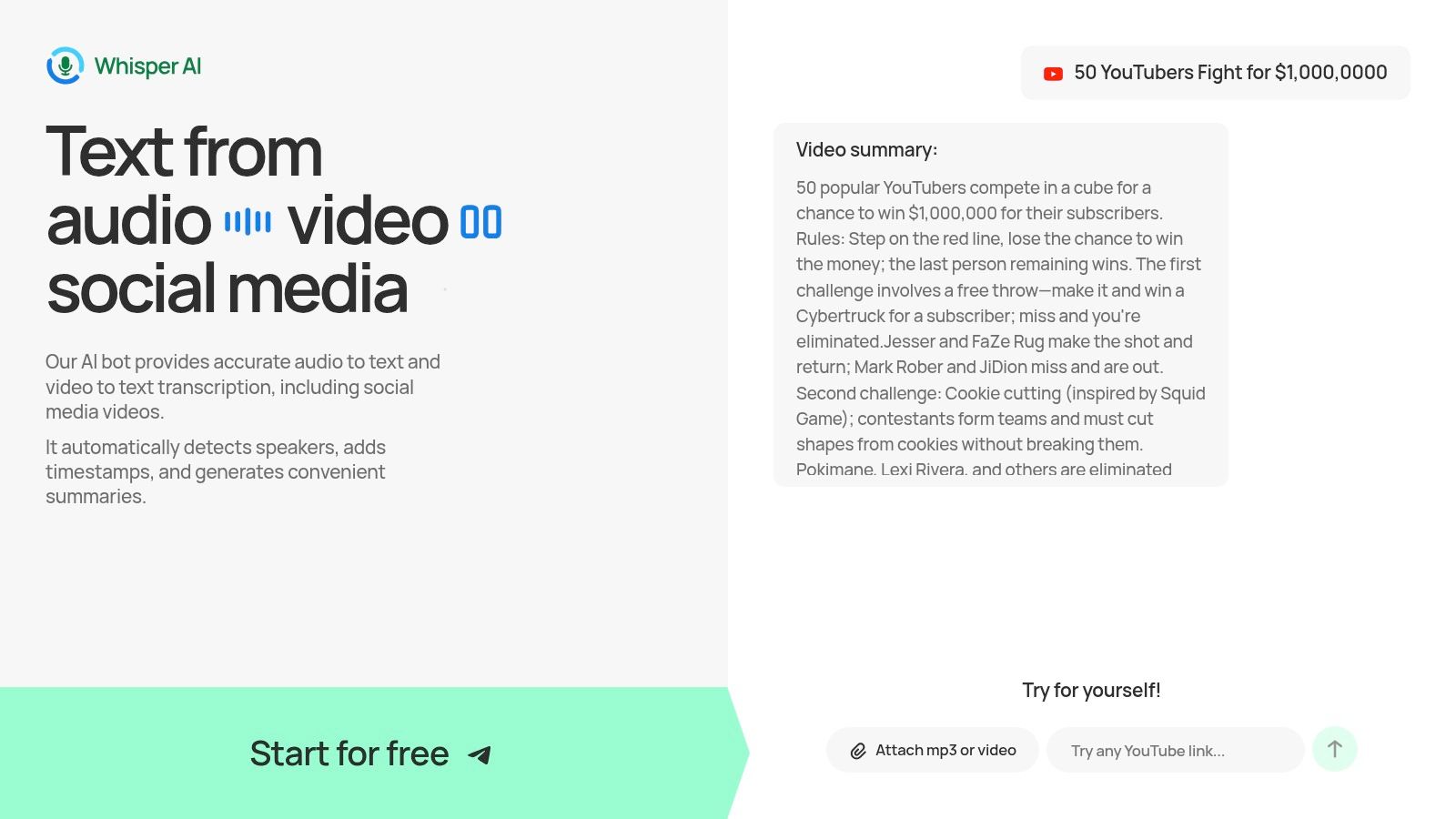
Whisper AI distinguishes itself as more than just a standard audio to text converter; it's a comprehensive insight-generation platform. It excels at transforming unstructured audio, video, and social media clips into structured, actionable content. The platform ingests content from nearly any source, including direct social media links, and rapidly produces highly accurate transcriptions.
Its core strength lies in its multi-layered output. Beyond a simple transcript, it automatically detects different speakers, adds precise timestamps, and generates AI-powered summaries and bullet-point highlights. This unique combination allows users like podcasters, marketers, and researchers to bypass hours of manual review and immediately grasp the key takeaways from long-form content. The interactive Q&A feature further refines this process, letting you query the transcript to extract specific insights or create action items, turning a passive recording into an active resource.
Key Features and Use Cases
Whisper AI is built on a powerful foundation of advanced AI models, making it a versatile tool for a wide range of professionals.
- Transcription and Summarization: Processes uploads or links to produce transcripts with speaker labels and timestamps. The auto-generated summaries and highlights are ideal for creating show notes, blog posts, or meeting recaps. To learn more, you can read an in-depth overview of Whisper AI's capabilities on their blog.
- Multi-Format Support: Handles a vast array of audio and video file formats and supports over 92 languages, making it a valuable asset for global content creators and teams.
- Flexible Exports: Content can be easily exported to Google Docs, Word, PDF, TXT, and Markdown, streamlining content repurposing workflows.
- Privacy-First Approach: Files are processed securely and are not retained after the task is complete, a crucial consideration for users handling sensitive information.
Best For: Content creators, marketers, journalists, and business teams who need to quickly extract and repurpose key information from audio and video content.
Pros & Cons
Website: https://whisperbot.ai
2. Whisper AI (WhatsApp-based voice-to-text)
Whisper AI offers a unique and highly convenient approach to audio-to-text conversion by integrating directly into WhatsApp. Unlike traditional platforms that require you to upload files to a separate website or app, Whisper AI works as a WhatsApp contact (WhisperBot). You simply add its number, then forward or record a voice note directly in the chat, and it replies with the transcribed text moments later. This workflow is exceptionally fast for on-the-go needs.
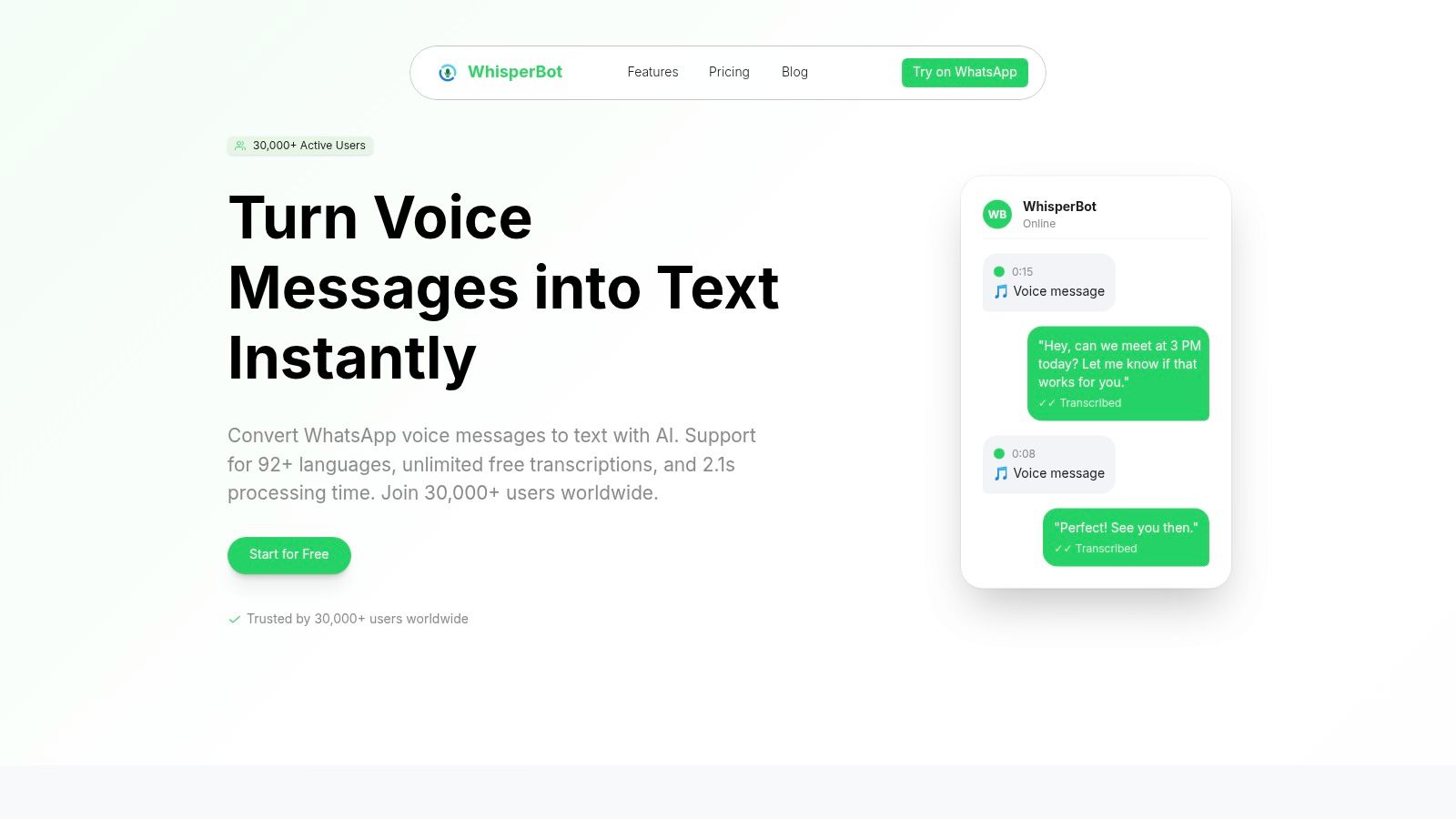
The service is perfect for quickly converting meeting reminders, personal notes, or long voice messages from friends into readable text without leaving your messaging app. Its support for over 92 languages makes it a versatile tool for international communication. The process of sending audio text becomes seamless within this familiar interface, removing any friction associated with new software. While its free tier is generous for short messages, it isn't designed for transcribing long-form content like multi-hour lectures or interviews.
Best for: Mobile users, journalists, and anyone needing instant transcription of short voice notes within WhatsApp.
Key Features:
- WhatsApp Integration: No app to install; works by adding a contact.
- Multi-language Support: Accurately transcribes over 92 languages.
- Forward & Reply: Accepts forwarded audio/video and replies in-thread.
Pros & Cons:
- Pro: Extremely simple and convenient for mobile-first workflows.
- Pro: Free tier is great for personal and frequent short message use.
- Con: Lacks a dedicated desktop editor for refining long transcriptions.
- Con: Not suitable for large files or collaborative editing tasks.
Website: https://www.trywhisper.ai/
3. OpenAI Speech-to-Text (API: GPT-4o Transcribe / Whisper)
OpenAI offers developer-grade speech recognition through its powerful API, featuring models like GPT-4o Transcribe and Whisper. This solution is not a typical end-user application but a programmable engine for developers building transcription features into their own software, plugins, or high-volume data pipelines. It provides the raw, highly accurate transcription power that underpins many popular services, making it an ideal choice for custom, scalable solutions that require robust audio to text converter capabilities.
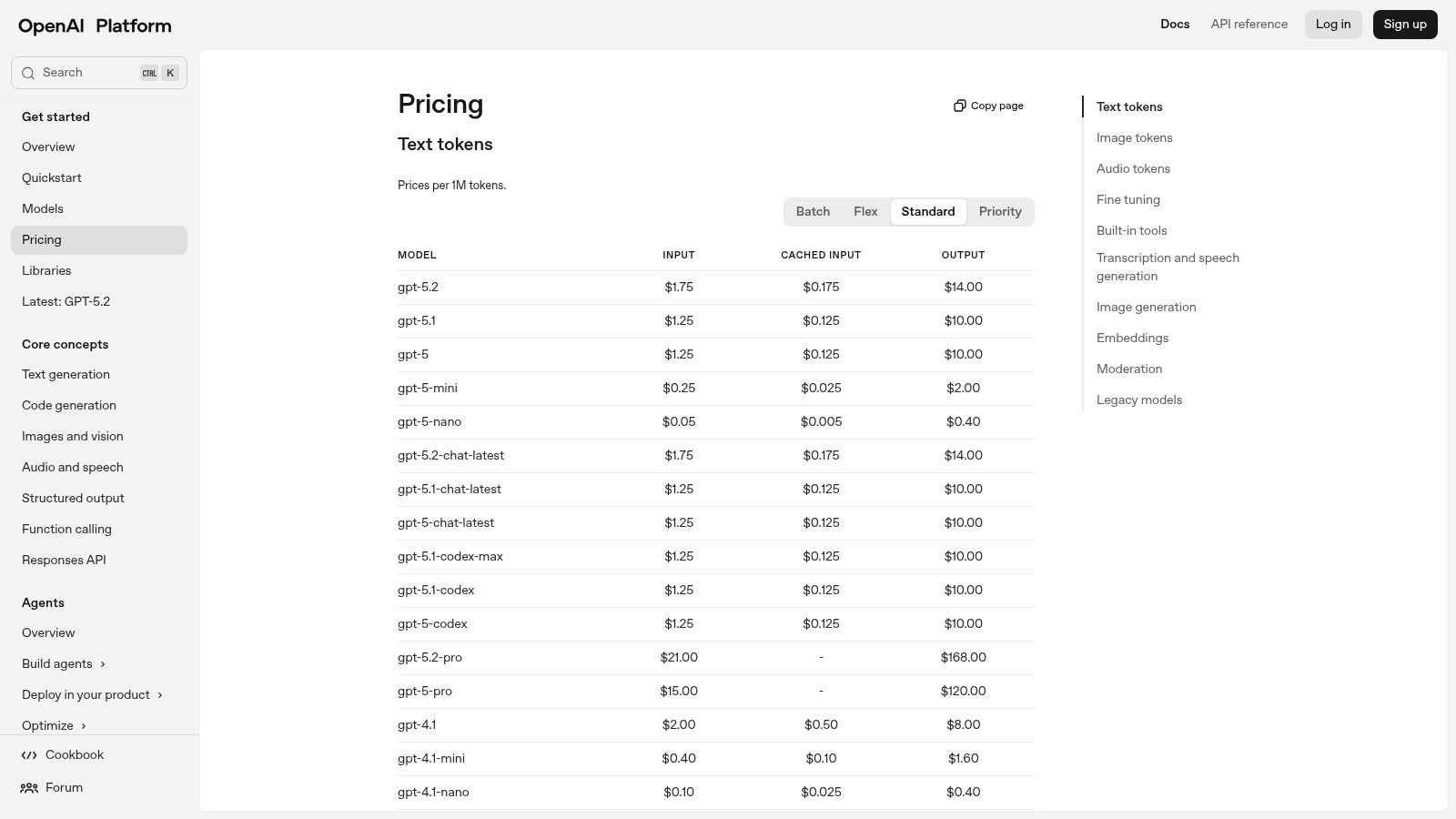
The platform stands out for its flexibility and power, offering endpoints for both transcription and translation. With variants that support speaker diarization (identifying who spoke when), it can handle complex multi-speaker audio with precision. The per-minute pricing model allows businesses to pay only for what they use, which is highly cost-effective at scale. However, this API-centric approach means it requires technical expertise to implement and lacks a user-friendly editor for direct interaction.
Best for: Developers, startups, and businesses needing to integrate state-of-the-art transcription into their products or internal workflows.
Key Features:
- Multiple STT Models: Access to various models, including variants with speaker diarization.
- Transcription & Translation Endpoints: Programmatically convert speech to text or translate it into other languages.
- Developer-Friendly: Extensive documentation, SDKs, and scalable rate limits for easy integration.
- Usage-Based Pricing: A pay-as-you-go model that is economical for high-volume needs.
Pros & Cons:
- Pro: Highly competitive usage pricing, making it affordable at scale.
- Pro: Strong language coverage and advanced features like diarization.
- Con: API-only access requires coding knowledge and integration effort.
- Con: No built-in editor or user interface for non-technical users.
Website: https://platform.openai.com/docs/pricing
4. Otter.ai
Otter.ai is a polished audio to text converter designed specifically for meetings and collaborative work. It excels at live transcription, integrating directly with platforms like Zoom, Google Meet, and Microsoft Teams to generate real-time notes. The platform goes beyond simple conversion by creating AI-powered summaries, identifying speakers, and generating action items automatically, making it an indispensable tool for teams, educators, and creators who need detailed meeting documentation.
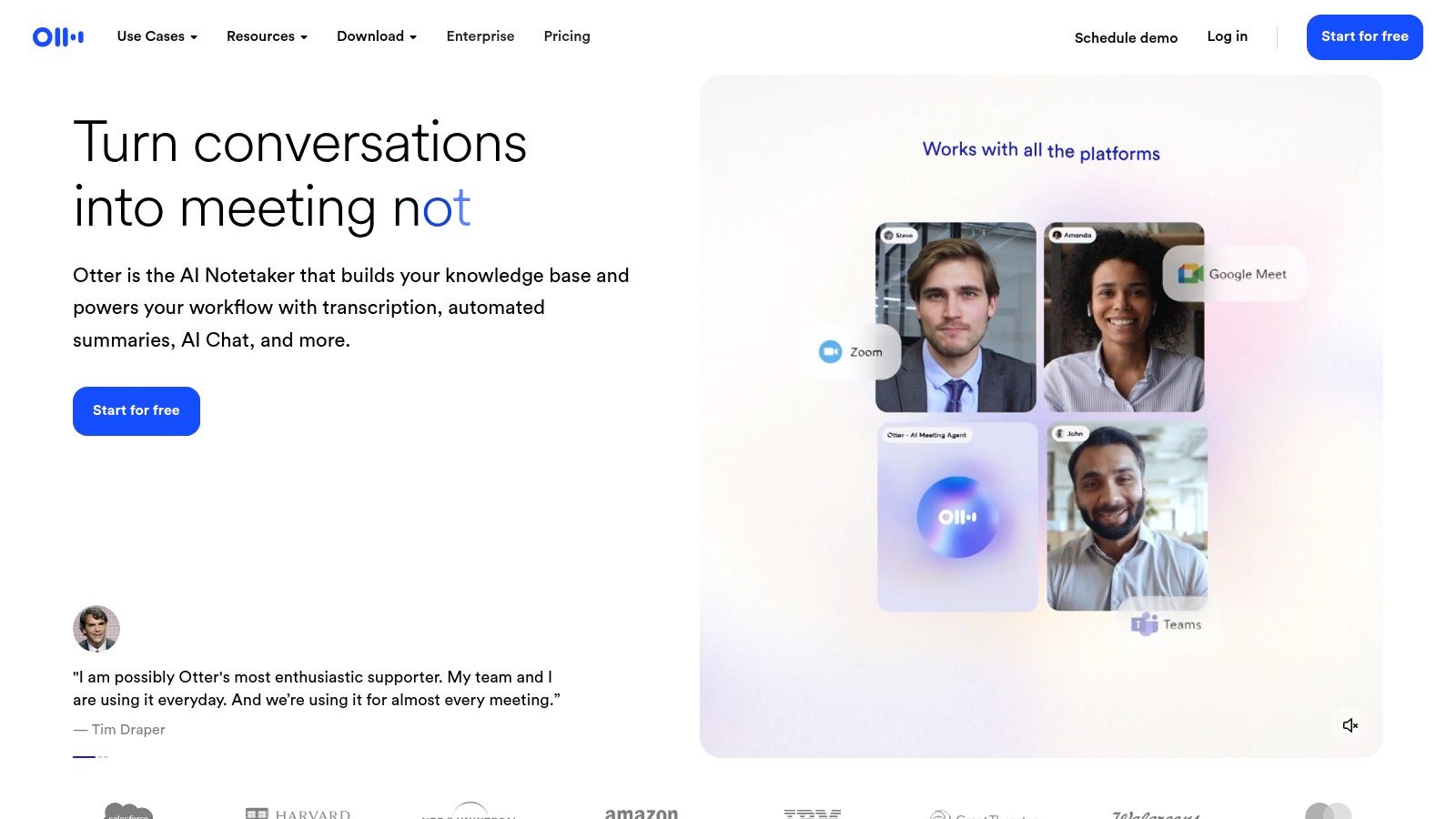
Its core strength lies in its workspace features, which allow users to search, edit, and share transcripts with colleagues. Mobile apps for iOS and Android ensure that you can record and review conversations from anywhere. While its free Basic tier is useful for individuals, paid plans unlock higher import limits and advanced features like multilingual live notes. For those exploring different tools, you can learn more about transcription with Otter.ai and how it fits into professional workflows.
Best for: Business teams, students, and educators who need collaborative, real-time transcription and AI summaries for meetings.
Key Features:
- Live Transcription: Generates real-time notes and summaries for virtual meetings.
- Workspace Collaboration: Allows teams to search, edit, and share transcripts.
- Meeting Integrations: Connects directly with Zoom, Google Meet, and Microsoft Teams.
Pros & Cons:
- Pro: Mature editor and powerful meeting-focused workflow.
- Pro: Generous free Basic tier for individual use.
- Con: Import and upload limits on lower-tier plans can be restrictive.
- Con: Accuracy may decrease with background noise or overlapping speakers.
Website: https://otter.ai/
5. Rev
Rev stands out as a hybrid audio to text converter, offering both rapid AI-powered transcription and a premium human-powered service that guarantees 99% accuracy. This dual approach makes it a top choice for professionals who need an initial draft quickly but require flawless accuracy for final deliverables like legal documents, published interviews, or academic research. Users can start with the fast automated transcript and then easily upgrade to a human review for the same file, creating a seamless and flexible workflow.
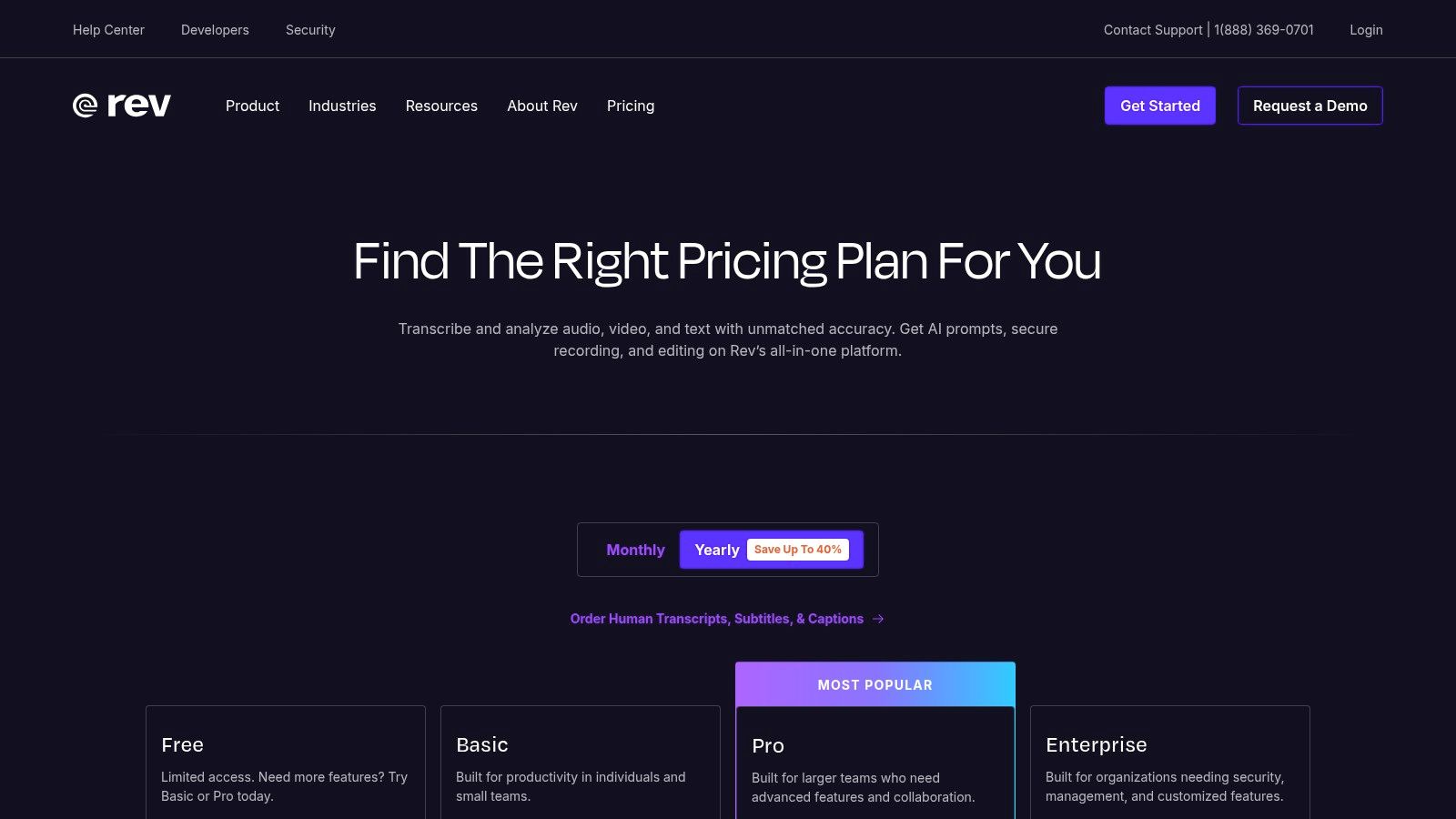
The platform is more than just a transcription engine; it includes an interactive editor to clean up transcripts, tools for creating captions and subtitles for video content, and direct integrations with platforms like Zoom and Google Meet. This makes it exceptionally useful for journalists, video creators, and teams needing reliable documentation with clear compliance options. While the AI service is competitive, the human transcription service is its key differentiator, providing peace of mind for mission-critical projects where errors are not an option.
Best for: Journalists, legal professionals, and content creators needing guaranteed high accuracy and compliance.
Key Features:
- Human Transcription: A 99% accuracy guarantee provided by a professional transcriptionist.
- Fast AI Transcripts: Automated service delivers transcripts in minutes with an interactive editor.
- Captions & Subtitles: Provides services for creating video captions and foreign subtitles.
- Platform Integrations: Connects directly with Zoom, Teams, and other meeting platforms.
Pros & Cons:
- Pro: Reliable human turnaround and compliance options (HIPAA/SOC 2).
- Pro: Clear upgrade path from an AI transcript to a human-verified one.
- Con: Human transcription is significantly more expensive per minute than automated services.
- Con: AI transcription minutes are capped on subscription tiers unless upgraded.
Website: https://www.rev.com/
6. Descript
Descript revolutionizes the concept of an audio to text converter by integrating transcription directly into a powerful media editor. It’s designed for creators who don’t just need a transcript, but want to edit their audio or video by simply editing the text. Deleting a word or sentence in the generated transcript automatically removes the corresponding segment from the media file, creating an intuitive workflow for podcasters, YouTubers, and marketers.
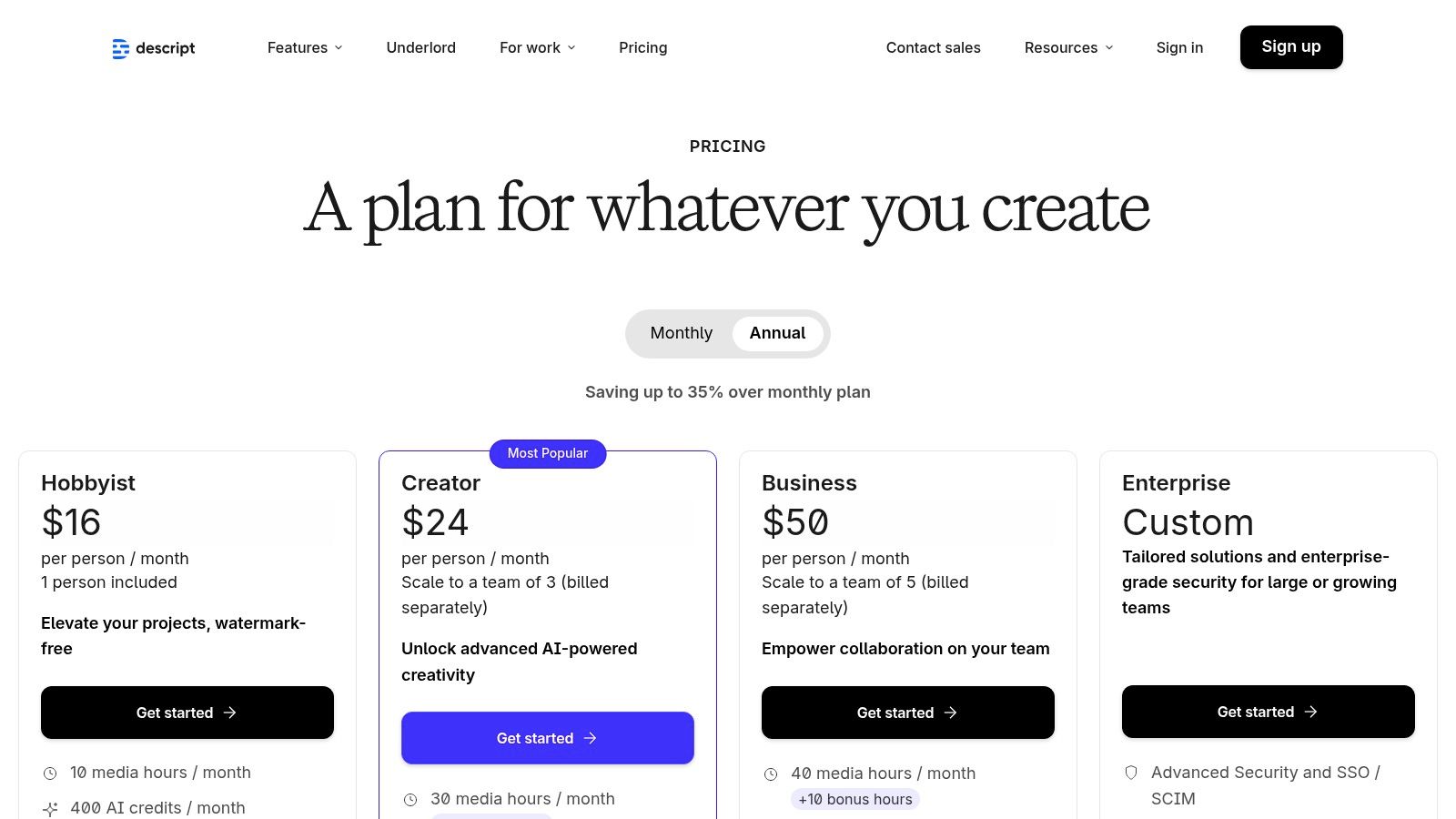
This text-based editing approach makes it exceptionally easy to remove filler words, restructure interviews, or create short clips for social media. Descript also includes advanced AI features like Studio Sound for enhancing audio quality and Overdub for correcting mistakes with a realistic AI voice clone. While its subscription model has usage limits based on transcription hours and AI features, its unique editing capabilities make it a top-tier choice for content production and repurposing.
Best for: Podcasters, video creators, and marketers who need to edit and repurpose media content by editing text.
Key Features:
- Text-Driven Media Editing: Edit audio/video by editing the transcribed text.
- AI-Powered Tools: Includes one-click filler-word removal, Studio Sound, and AI voice cloning.
- Collaboration: Supports team projects with comments and shared workspaces.
Pros & Cons:
- Pro: Excellent user experience for repurposing long-form content into clips.
- Pro: Powerful editing features that sync text edits directly to media.
- Con: Subscription model has limits on transcription hours and AI features per plan.
- Con: Can have a learning curve for users new to its advanced editing tools.
Website: https://www.descript.com/pricing
7. Trint
Trint is a powerful, enterprise-grade transcription platform designed for media teams, journalists, and production environments where collaboration is critical. More than just a simple audio to text converter, it offers a full suite of tools for multi-user editing, commenting, and secure sharing. Its workflow is built around turning raw audio and video into searchable, editable, and shareable content, making it ideal for newsrooms and content creation teams.
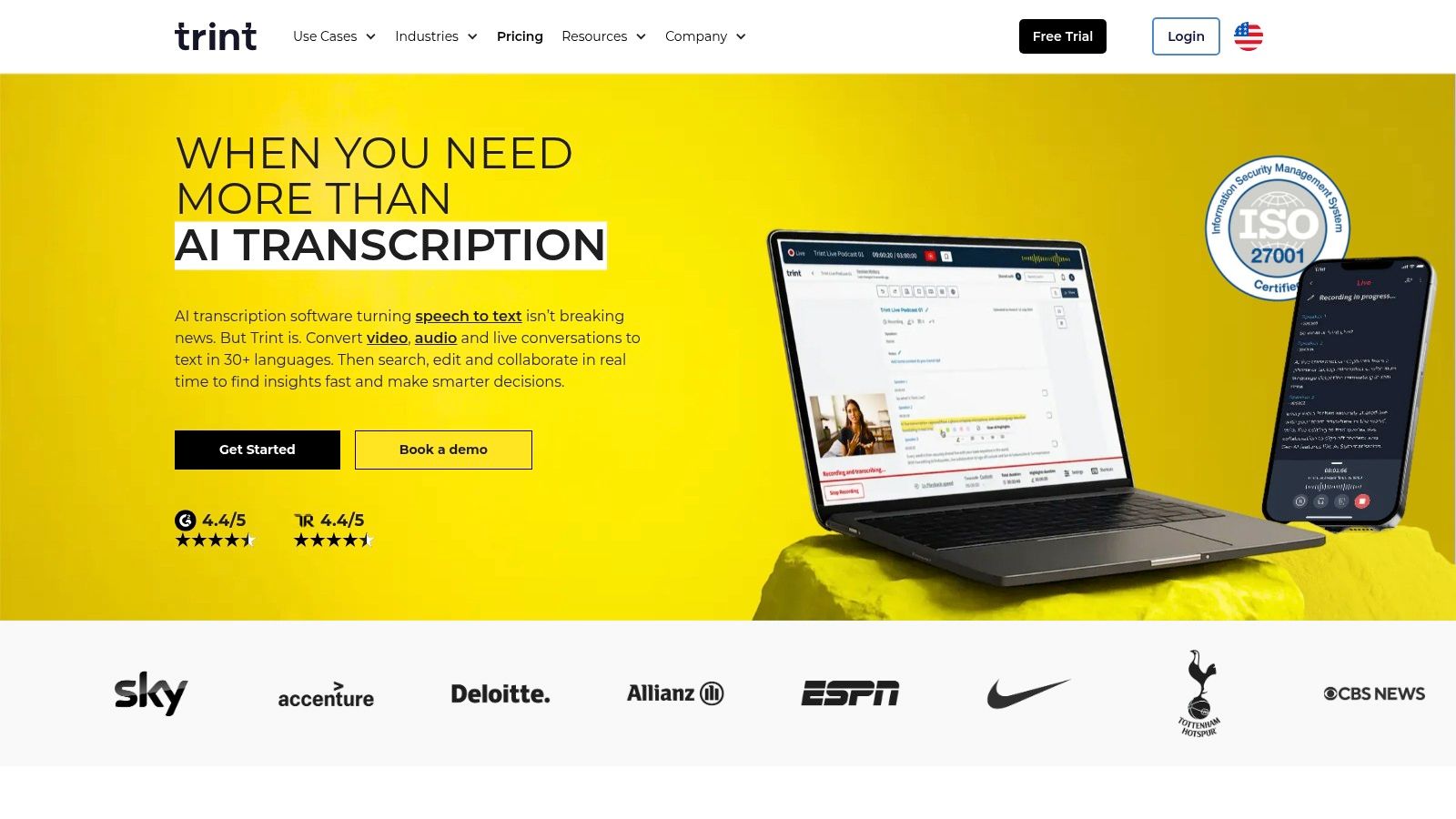
The platform’s standout feature is Trint Live, which captures and transcribes live events, meetings, or broadcasts in near real-time. This allows teams to create and publish content moments after it happens. Its robust desktop and mobile apps ensure access from anywhere, while advanced security features like SSO and API access cater to large organizations with strict compliance needs. The per-seat pricing model is premium, reflecting its focus on professional, collaborative use cases rather than individual or casual transcription tasks.
Best for: Newsrooms, media production houses, and enterprise teams needing live, collaborative transcription and high security.
Key Features:
- Live Capture: Transcribe live events, streams, and meetings in near real-time.
- Team Collaboration: Enables multi-user editing, commenting, and secure project sharing.
- Multi-language Support: Provides accurate transcription and translation across numerous languages.
- Enterprise Security: Offers API access, single sign-on (SSO), and advanced security protocols.
Pros & Cons:
- Pro: Excellent for newsroom and live production workflows.
- Pro: Strong collaborative features facilitate efficient team-based editing.
- Con: Premium per-seat pricing makes it expensive for individuals or small teams.
- Con: Starter plans have notable limits on uploads and trial access.
Website: https://trint.com/
8. Sonix
Sonix provides a powerful and automated audio to text converter service that combines fast AI transcription with a polished, in-browser editor. It is designed for professionals who need not just a raw transcript, but a workable document ready for editing and export. The platform automatically adds speaker labels and timestamps, which can be easily adjusted in its user-friendly interface. This makes it an excellent choice for cleaning up interviews, lectures, or meeting recordings without needing specialized software.
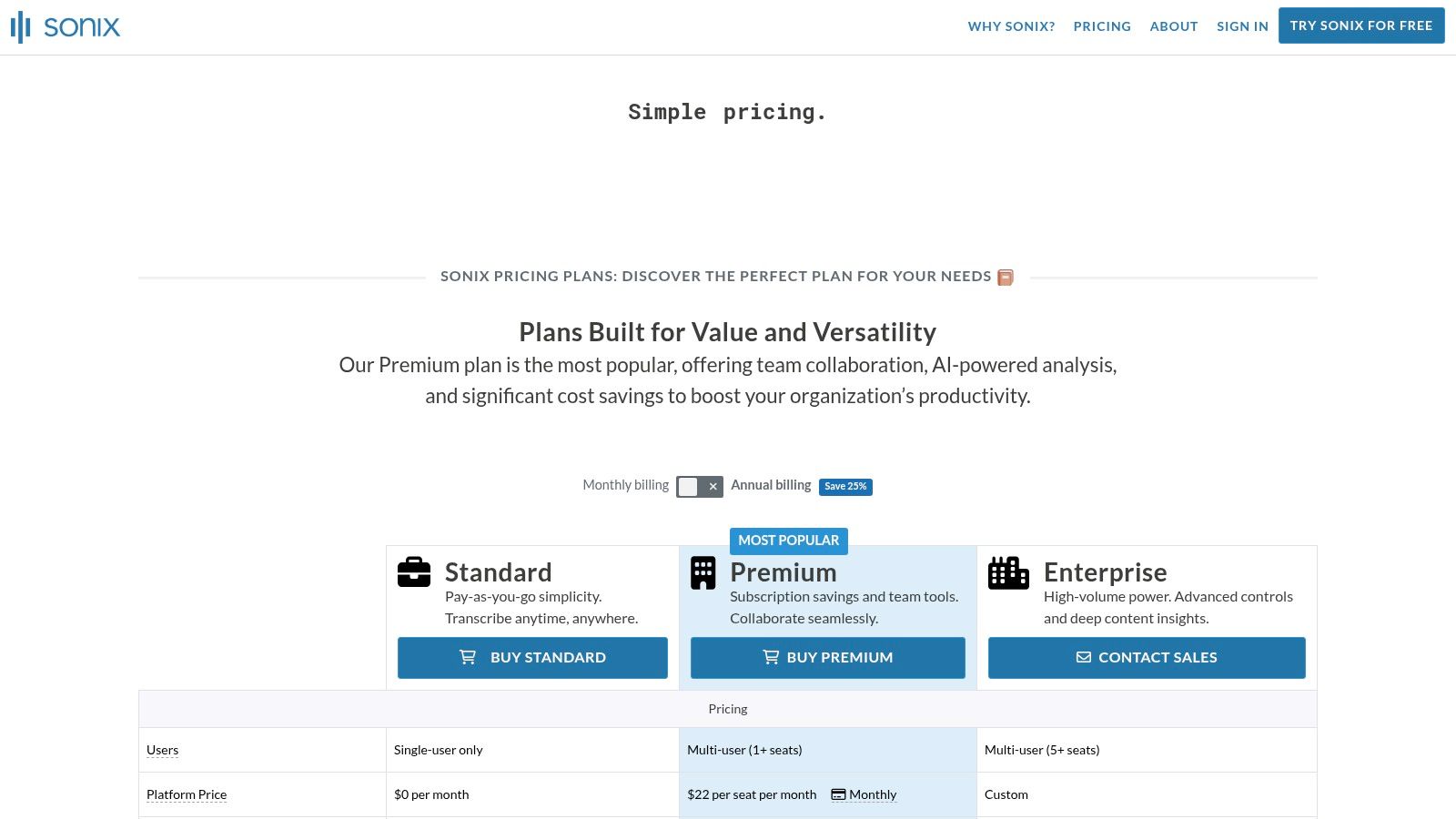
The platform stands out with its flexible billing, offering both pay-as-you-go and subscription models where usage is billed to the second, ensuring you only pay for what you use. Its extensive export options, including DOCX, SRT, and VTT, cater to various workflows from content creation to video subtitling. A custom dictionary feature also helps improve accuracy for industry-specific terminology. With 30 free minutes, users can thoroughly test its capabilities before committing.
Best for: Podcasters, journalists, and video editors needing a refined transcript with flexible export options and transparent pricing.
Key Features:
- In-browser Editor: Clean interface with timestamps and speaker diarization for easy editing.
- Multiple Export Formats: Supports DOCX, SRT, VTT, and more for various use cases.
- Flexible Billing: Offers both pay-as-you-go and subscription plans billed to the second.
Pros & Cons:
- Pro: Transparent per-hour pricing model is easy to understand.
- Pro: Excellent language coverage and versatile export capabilities.
- Con: Premium plan adds a subscription fee on top of the per-hour transcription cost.
- Con: Features like translation incur additional charges.
Website: https://sonix.ai/pricing
9. Temi (by Rev)
Temi offers a straightforward, pay-as-you-go approach to automated transcription, making it an excellent choice for users who need a high-quality audio to text converter without committing to a subscription. Backed by the robust technology of its parent company, Rev, Temi provides fast and surprisingly accurate AI-generated transcripts. The process is simple: upload an audio or video file, and within minutes, you receive an editable transcript with speaker labels and timestamps.
This service is ideal for those with occasional transcription needs, like a student transcribing a single lecture or a marketer converting a one-off webinar. The interactive web editor allows for easy review and correction, where you can click on any word to hear the corresponding audio. While it primarily focuses on English and lacks the advanced collaboration tools of other platforms, its transparent, per-minute pricing and the option to upgrade to a human-powered Rev transcript make it a flexible and reliable tool.
Best for: Students, freelance journalists, and small businesses needing quick, affordable transcriptions with a pay-as-you-go model.
Key Features:
- Interactive Editor: Review and edit transcripts with synced audio playback and timestamps.
- Pay-As-You-Go: No subscriptions; pricing is a flat rate per audio minute.
- Multiple Export Formats: Download transcripts as Word, PDF, TXT, SRT, and VTT files.
Pros & Cons:
- Pro: Transparent and low-commitment per-minute pricing is great for infrequent users.
- Pro: Simple web workflow and dedicated mobile apps for recording on the go.
- Con: Accuracy can vary with poor audio quality, often requiring manual cleanup.
- Con: More English-centric and has fewer collaboration features than subscription-based tools.
Website: https://www.temi.com/
10. TurboScribe
TurboScribe stands out as a powerful web-based AI audio to text converter designed for users handling large or long-form content. It supports exceptionally large files (up to 10 hours or 5 GB) and accepts various input methods, including direct uploads, microphone recording, or pasting links from platforms like YouTube. This flexibility makes it ideal for podcasters, researchers, and video creators who need to transcribe extensive audio or video files without breaking them into smaller chunks.
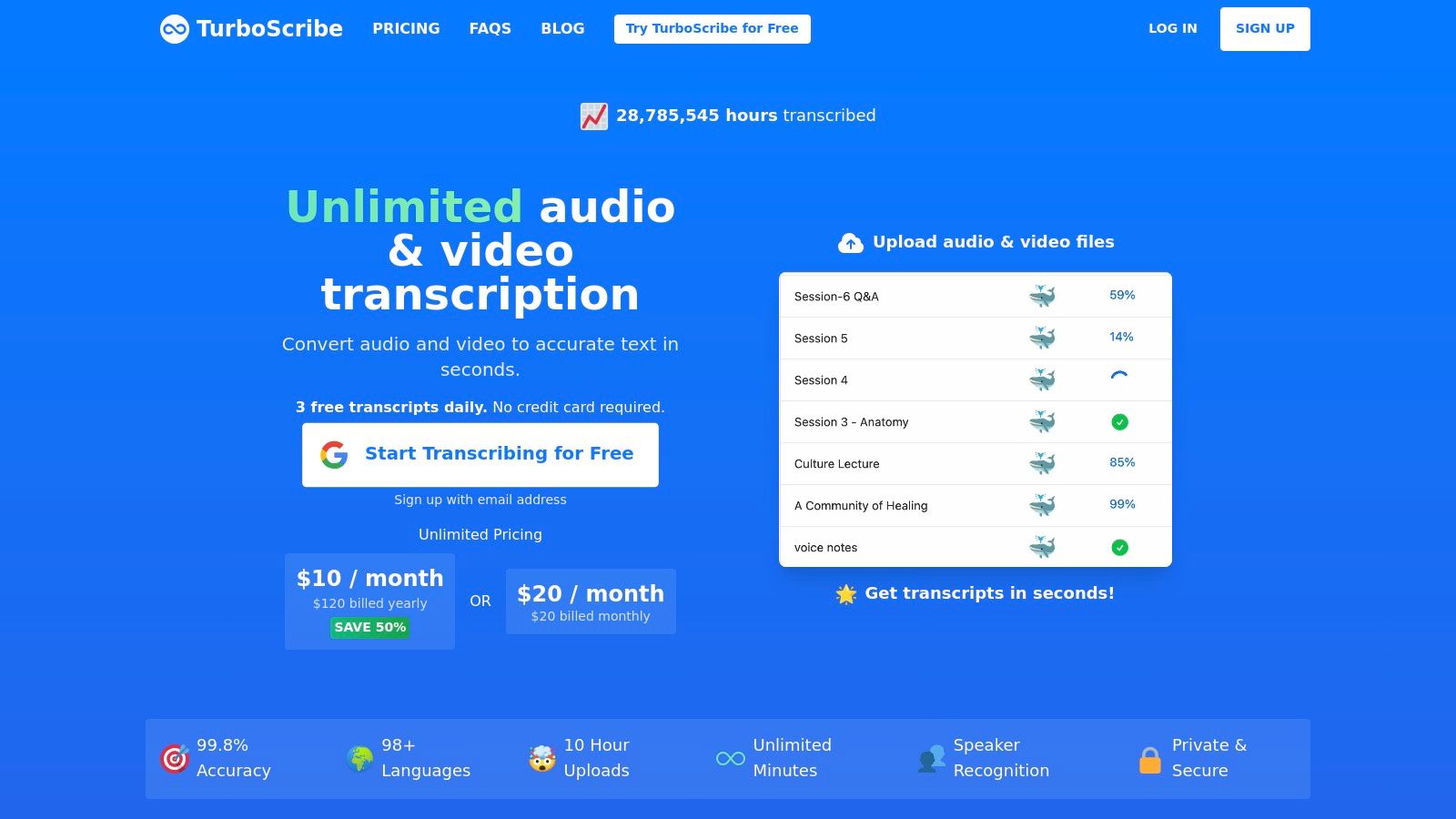
The platform offers robust features, including speaker recognition (diarization), transcription in over 98 languages, and translation into more than 134 languages. Its clean interface and multiple export formats (DOCX, PDF, TXT, and SRT) streamline the content creation workflow. TurboScribe's competitively priced unlimited plan offers significant value, providing a cost-effective solution for users with high-volume transcription needs. A clear free tier also allows new users to test the service's accuracy and speed before committing.
Best for: Podcasters, YouTubers, researchers, and students who frequently transcribe long audio or video files.
Key Features:
- Large File Support: Transcribe files up to 10 hours long or 5 GB in size.
- Multiple Input Options: Upload files, record via mic, or paste links.
- Translation & Diarization: Translates to 134+ languages and identifies different speakers.
Pros & Cons:
- Pro: Generous unlimited plan is highly cost-effective for heavy users.
- Pro: Excellent support for long files and various input formats.
- Con: It is a web-only application with no dedicated mobile or desktop apps.
- Con: No human-powered transcription service for guaranteed accuracy.
Website: https://turboscribe.ai/
11. Google Cloud Speech-to-Text (API)
Google Cloud Speech-to-Text is an enterprise-grade API designed for developers and organizations that need a powerful, scalable, and highly accurate audio to text converter. Unlike user-facing applications, this is a backend service integrated into other software. It leverages Google’s advanced machine learning models to provide exceptionally accurate transcriptions across a vast number of languages and dialects, making it ideal for high-volume, mission-critical tasks.
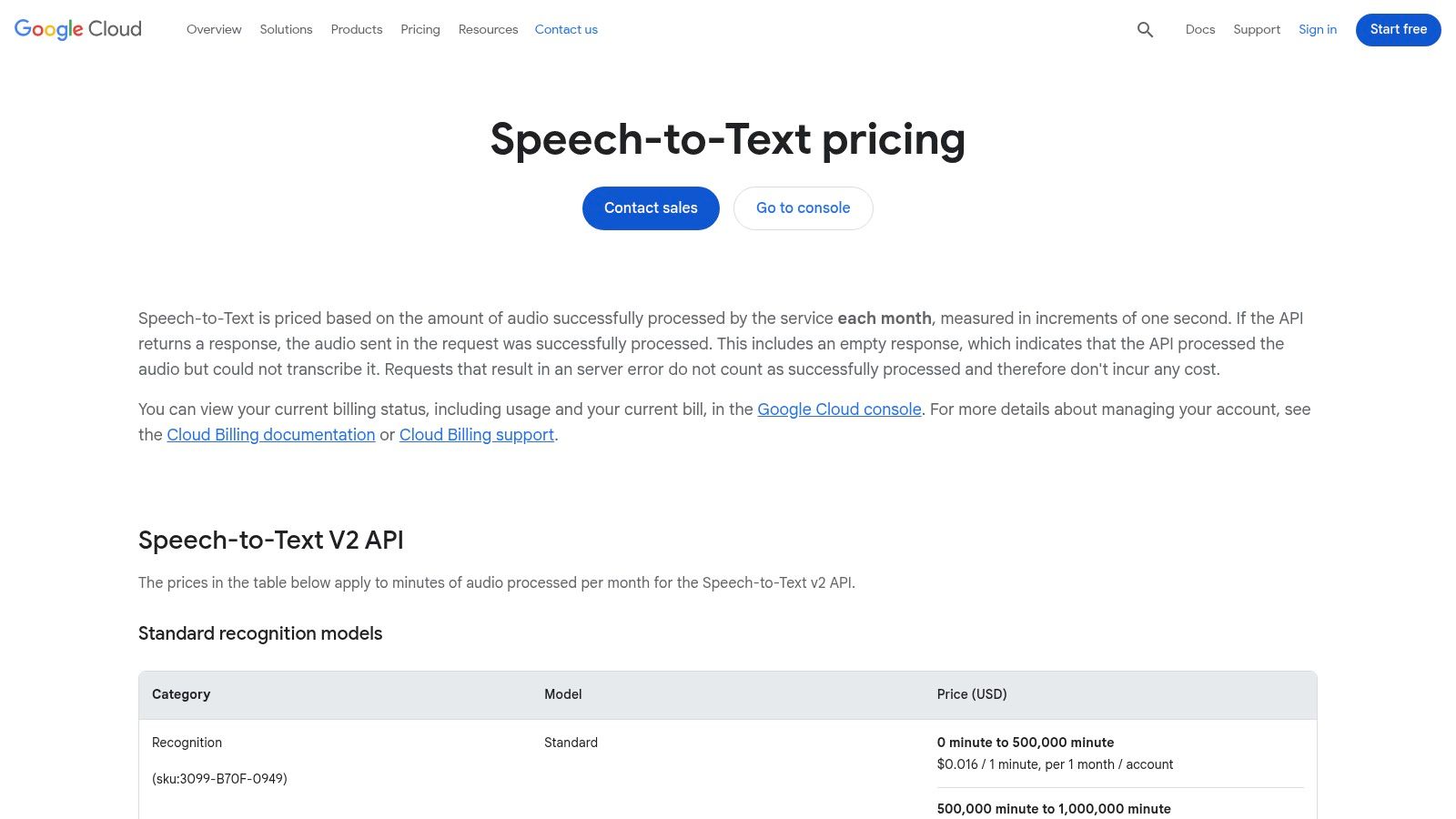
This platform stands out with its flexible processing modes, including "Dynamic Batch," which offers significant discounts for non-urgent transcription jobs. It’s built to integrate seamlessly into the Google Cloud Platform (GCP) ecosystem, offering robust tooling and on-premise deployment options for enhanced security. While the output is highly accurate, it's a good practice to review the results, and you can learn more about the importance of proofreading in transcription to ensure final quality. Setup requires a GCP project and billing account, making it more complex than consumer-focused tools.
Best for: Developers, enterprises, and tech companies needing to build transcription capabilities into their applications or workflows.
Key Features:
- Multiple STT Models: Choose from various models optimized for different use cases.
- Dynamic Batch Processing: Get discounted pricing for delayed, large-volume processing.
- Broad Language Support: Transcribes audio accurately in over 100 languages.
- GCP Ecosystem Integration: Works seamlessly with other Google Cloud services.
Pros & Cons:
- Pro: Backed by Google's powerful enterprise infrastructure and tooling.
- Pro: Flexible pricing and processing modes suit large-scale operations.
- Con: Requires technical expertise and a Google Cloud account for setup.
- Con: Pricing structure can be complex to estimate for varied workloads.
Website: https://cloud.google.com/speech-to-text/pricing
12. Amazon Transcribe (AWS)
Amazon Transcribe is a powerful, enterprise-grade audio to text converter that operates within the Amazon Web Services (AWS) ecosystem. Designed for developers and businesses, it provides highly accurate speech-to-text capabilities for both batch processing of stored audio files and real-time streaming transcription. It stands out by offering specialized models and features tailored for specific industries, such as contact centers and healthcare, along with robust data protection tools like PII redaction.

This service is ideal for integrating transcription directly into applications, analyzing customer calls, or processing medical dictations securely. Its deep integration with other AWS services like S3 for storage and Kinesis for streaming makes it a seamless component of a larger cloud architecture. However, its power comes with complexity; setup requires an AWS account and familiarity with IAM configurations, making it less suitable for casual users seeking a simple upload-and-transcribe tool. The pay-per-second pricing is scalable but can be complex to forecast.
Best for: Developers, enterprises, and contact centers needing scalable, integrated transcription with industry-specific features.
Key Features:
- Batch & Real-Time STT: Supports both pre-recorded files and live audio streams.
- Specialized Models: Offers fine-tuned models for medical and call center use cases.
- Advanced Features: Includes PII redaction, custom vocabularies, and speaker identification.
Pros & Cons:
- Pro: Deep integration with the broader AWS ecosystem (S3, Kinesis, etc.).
- Pro: Highly scalable with usage-based, tiered billing for large volumes.
- Con: Requires an AWS account and technical setup, making it complex for beginners.
- Con: Pricing tables and various service SKUs can be difficult to navigate.
Website: https://aws.amazon.com/transcribe/pricing/
Top 12 Audio-to-Text Converters Comparison
Choosing the Right Transcription Tool for Your Workflow
Navigating the landscape of audio to text converter tools reveals one clear truth: the "best" solution is not one-size-fits-all. Your ideal choice hinges entirely on your specific workflow, budget constraints, and the ultimate purpose of your transcribed content. This guide has dissected a dozen top-tier options, from powerful APIs to user-friendly applications, to help you make an informed decision.
We've seen how raw accuracy, once the primary benchmark, is now just the starting point. The real value lies in the features built around the core transcription engine. For content creators, podcasters, and marketers, this means looking beyond simple text output. Tools like Descript and Trint transform the editing process, allowing you to manipulate audio and video by simply editing the text, a game-changer for content repurposing.
For business teams, collaboration is key. Otter.ai excels in this arena with its real-time transcription, automated meeting summaries, and seamless integrations with platforms like Zoom and Google Meet. It turns conversations into actionable records, ensuring no critical detail is lost. Meanwhile, for developers and businesses requiring custom solutions, the sheer power and scalability of APIs from OpenAI, Google Cloud, and Amazon Transcribe offer unparalleled flexibility to build transcription capabilities directly into your own applications.
Key Factors in Your Decision
As you weigh your options, move beyond the marketing claims and focus on the factors that will directly impact your day-to-day productivity. Our hands-on analysis highlights a few critical considerations:
- Accuracy and Contextual Understanding: How well does the tool handle your specific audio? Test it with files containing industry jargon, multiple speakers, or background noise to gauge its real-world performance.
- Workflow Integration: Does the tool save you time or create extra steps? Look for features like speaker identification, timestamping, and export formats that fit seamlessly into your existing processes.
- Beyond Transcription: Do you need summarization, content analysis, or video editing? An all-in-one platform might offer more value than a standalone audio to text converter. Exploring new AI-powered solutions like LunaBloom AI can reveal advanced features suitable for various workflows.
- Cost vs. Value: Don't just look at the subscription price. Calculate the cost based on your volume and the value of the time saved. A slightly more expensive tool with superior automation might deliver a much higher return on investment.
The most effective way to find your perfect match is through direct experience. Nearly every service we've reviewed offers a free trial or a freemium plan. Take advantage of these opportunities. Upload a representative audio file, a challenging meeting recording, or a snippet from your latest podcast episode. See for yourself how each platform performs and which interface feels most intuitive. This hands-on testing is the final, crucial step in selecting the audio to text converter that will not just transcribe your words, but accelerate your entire workflow.
Ready to experience the future of transcription? Get started with Whisper AI, the tool that combines world-class accuracy with powerful, AI-driven features like summarization and chat. Transform your audio and video files into accurate, editable text and unlock deeper insights from your content today. Try Whisper AI for free and see the difference for yourself.


























































































